
Features in detail
Hard things,made quick by templates.
AiiB is built so that typing words and numbers into a template gives you a professional layout. This page lists those templates and tools. Every sample is drawn by the same renderer as the app, at the moment this page was built.
Slides
250+ templates — all of them, for real
Pick a category and its templates appear with their default sample copy, drawn by the same renderer as the app. Each one works by rewriting the text, and the preview and the PowerPoint output come from the same definition.
See the templates with a different design. Each choice redraws the genre on screen with the same renderer as the app.
Click to enlarge
Slides
Editing — rewrite the text in place
Double-click text on the preview and type. The template owns the layout, so nothing breaks.
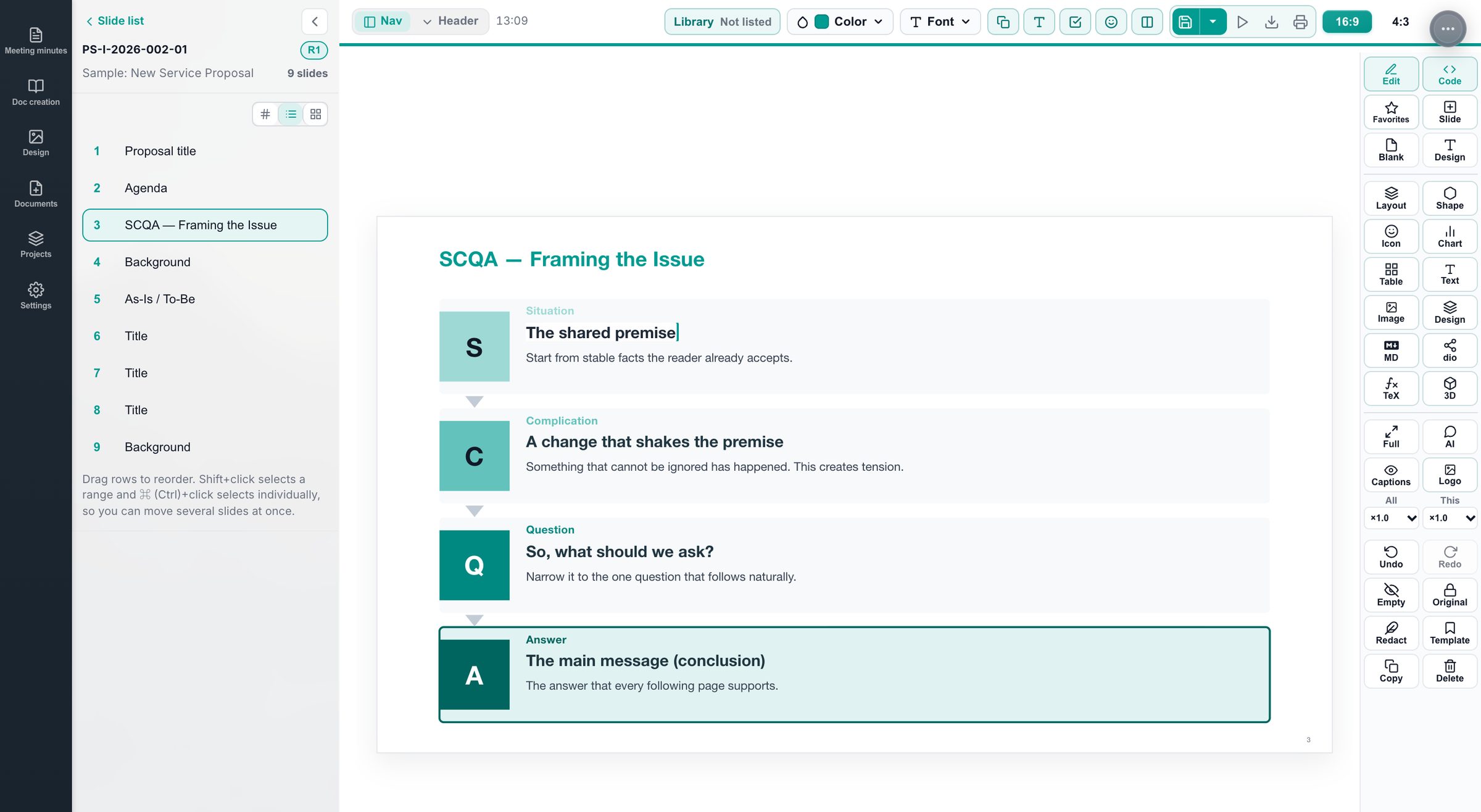
- In-place editing
Edit on the preview. Add or remove rows, columns and items with buttons.
- Undo and redo
The PowerPoint feel: add, delete and reorder are one step each; typing is grouped by time.
- Sections
Agenda and section nav are built from section dividers. Numbering (1-1 …) is automatic, and can be hidden per slide.
- Named designs
Logo, title, key message, footer, page numbers, fonts, cover, agenda, dividers, body, section nav and decor saved under a name and applied to other decks.
- 10+ title styles
Box, underline, fill, header, left panel, edge bar, slash, plus drawn ribbons, corner badges and slant bars.
- 9+ section nav styles
Tabs, top right, right rail, diagonal band, bookmark, top center, underlined tabs, chevrons. Height, width, position and dimming adjustable.
- Covers
Split, photo band, large title and more. Photo brightness, position and zoom. Back covers too.
- Redaction
Brush over words to mask them. Exports never show the original, and AI never sees it.
- Images
Pasted images are compressed automatically (1600 px long edge). Crop and knock-out logos.
- Decks in five languages
Japanese, English, Chinese (Simplified), Korean and German. Default copy, dates and fonts follow the language.
Objects
Figures, charts, tables and formulas — drawn from numbers and words
Objects on a slide are drawn from input, not pasted as images. So they stay editable, follow the deck colors, and export to PowerPoint as shapes, tables and charts.
From 350+ figure types, 70+ tables, formulas and icons: 200+ of the best-looking, drawn for real and grouped by genre. Tap to enlarge
Icons can switch look, frame, weight, color and size right on the slide. Try it with the buttons below (drawn the same way as the app).
Figures made with icons
- 350+ figure types
Frameworks, architecture, maps, arrows, decorations, business models, business systems, stairs, flows, scorecards, logic… Fill in the fields and it draws.
- Charts
Bar, line, area, scatter, bubble, box plot, histogram, radar, treemap, Sankey, waterfall. Curves from formulas (statistics, finance, physics, chemistry, economics).
- 70+ table presets
Price lists, feature comparisons, PL / BS / CF, DCF, cap tables, three-line tables, truth tables, property tables… with formulas (row totals, cumulative, column expressions). Redacted values drop out of calculations.
- Formulas
LaTeX math, identical in the preview and in PowerPoint.
- Molecules
Structural formulas from SMILES, checked down to 3D.
- Diagram editing
Edit draw.io diagrams inside the slide. Markdown, icon and text objects too.
- Shapes in PowerPoint
What can be shapes, tables or charts is exported that way; the rest becomes an image. Better an image than a broken shape.
AI
AI editing — your AI fills the template
An AiiB slide is data: which template, with what content. The AI never writes coordinates or colors. It writes content and structure, so it is fast, cheap and does not break layouts.
- Any AI
Set an Anthropic, OpenAI or Google API key. The direct-download edition can also connect to a local model on your own machine (App Store edition in a later update). The app never charges for AI.
- Scoped requests
“This slide” or “the whole deck”. Nothing outside the scope is written (enforced in code).
- Point and ask
Click text or a figure on the preview to say “this one”.
- Proposals
Deck-wide changes stay proposals until you compare and accept. Single-slide changes undo in one step.
- Template selection
From 250+ templates, candidates are narrowed by role and situation, then ranked by how often real decks used them.
- Measure and fix
Clipped, overflowing or overlapping text is measured and reported back to the AI, which shortens or restructures.
- Redaction kept
Masked words are replaced with tokens before the AI sees them and restored before saving.
- Figures and tables
The AI can edit the contents of figures it placed, table cells and chart series.
Output
Export and presenting
No lock-in. Standard formats, looking like the preview.
- PowerPoint (.pptx)
Tables stay tables, shapes stay shapes, charts stay charts. One source of truth for font sizes, so nothing shifts.
- PDF
Slide size or A4 landscape. Whole deck or one slide.
- Images
PNG and JPEG. Designs also as SVG.
- Deck data
Export and import as .deck.json, singly or in bulk.
- Viewer
One slide at a time on a dark stage. Arrow keys, fullscreen, size and position adjustment.
- Scripts and readings
A narration script per slide with inline readings, the base for auto-presenting.
- Tutorial
Real buttons light up to guide you from creating a design to building, editing and exporting a deck. Five languages.
Notes
Meeting notes — always free
A rich editor with a heading outline. Search and version history. Straight into slides.
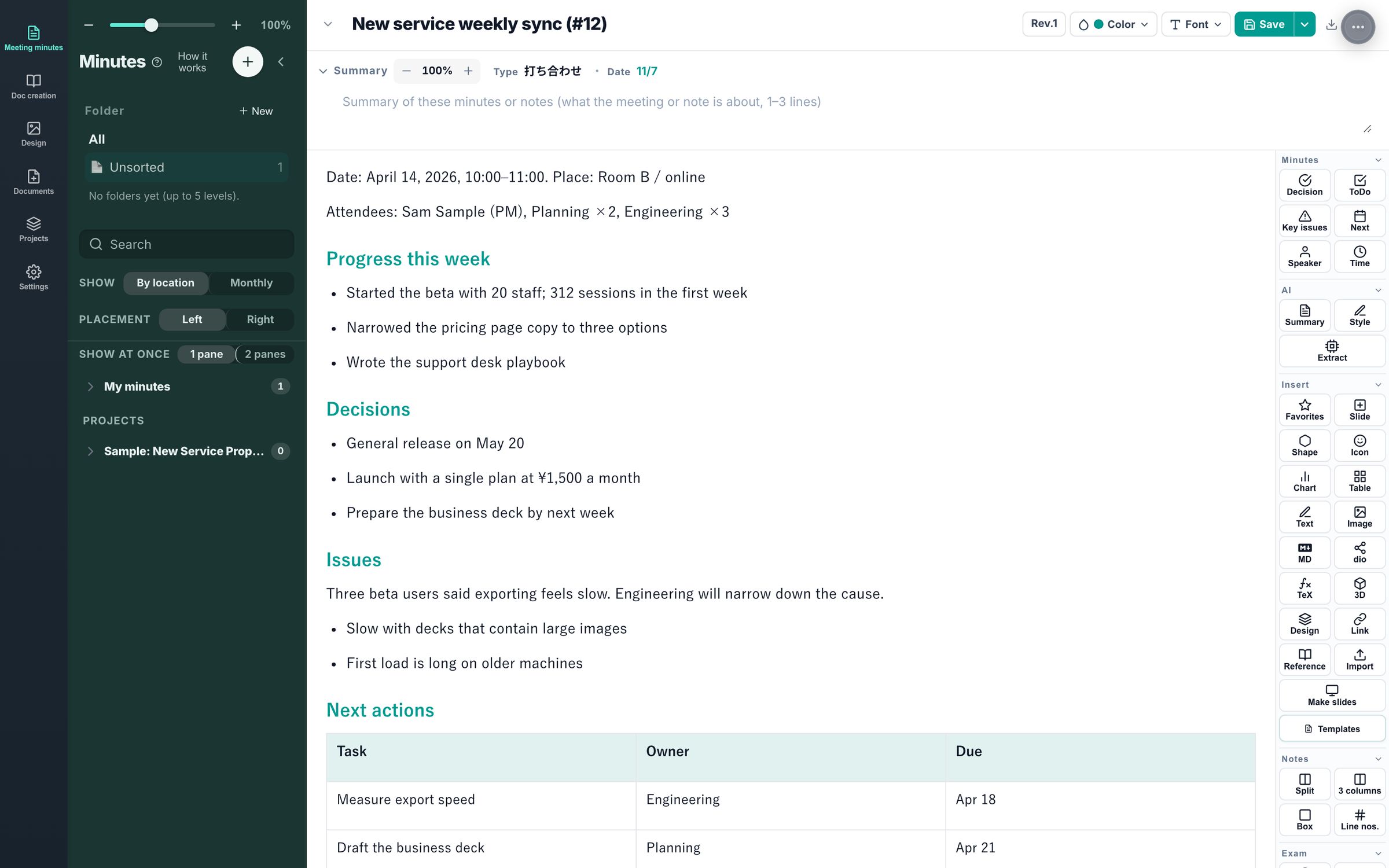
- Body
Headings, lists, tables, images, boxes, columns, line numbers. The outline builds itself from headings.
- Search and versions
Full-text search. Go back through version history.
- AI (optional)
Summaries, cleanup, extraction of decisions. Redacted words stay hidden.
- Notes to slides
Headings become sections; tables and lists become templates. Date tables become Gantt charts, metrics become number tiles, numeric tables become charts, X/Y tables become positioning maps, strengths and weaknesses become SWOT, numbered steps become step diagrams. Add (chart) and the like to a heading to choose.
- Export
PDF and Markdown. Redactions export masked.
Exams
Exams and study — three versions from one text
For teachers and tutors, and for your own mock exams. Exams are part of notes, so they are free.
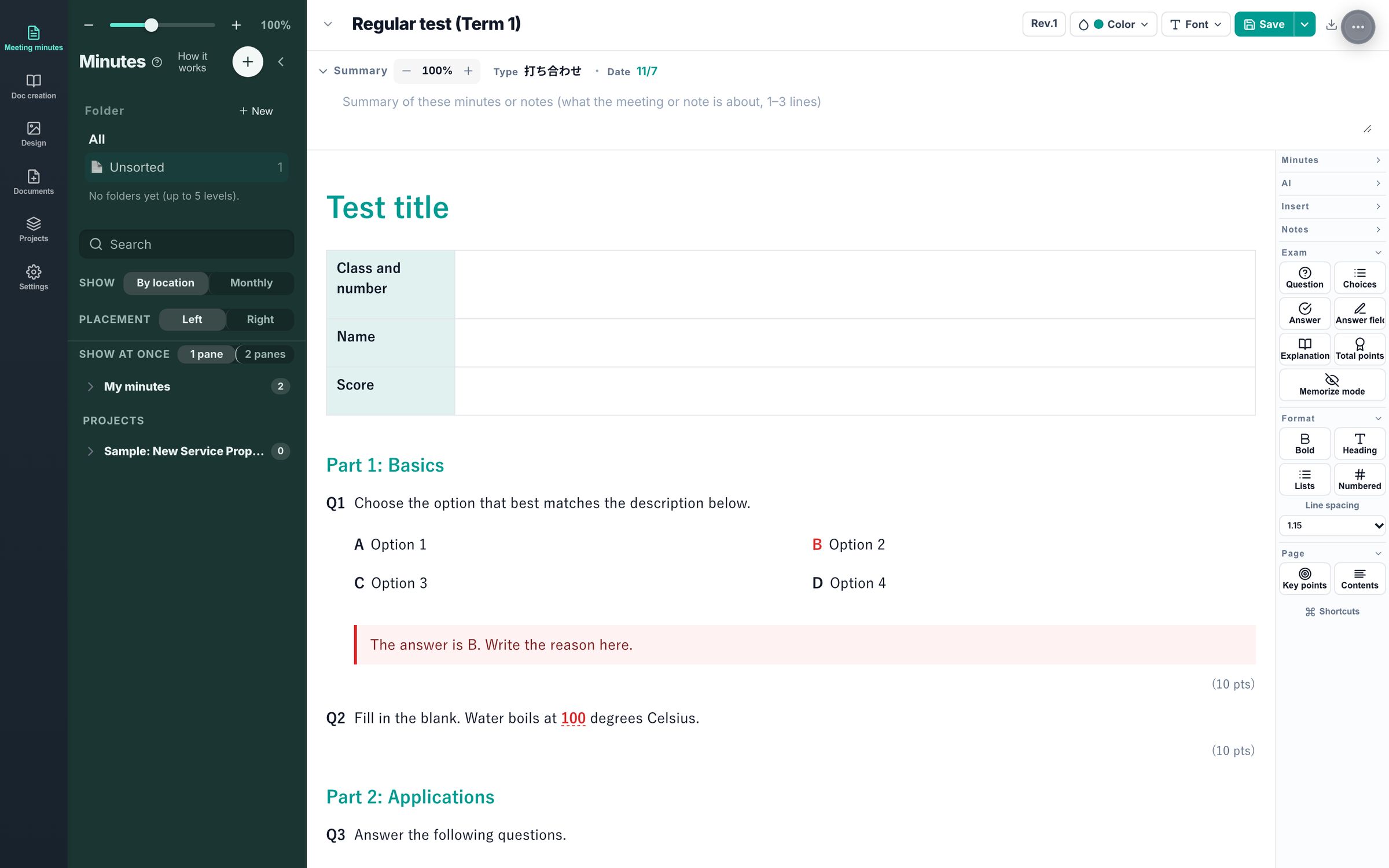
- Questions
Automatic numbering, choices, answer fields, points, fill-in-the-blanks.
- Three versions
Question paper, answer sheet, and answers with explanations from one text. Answers never stay on the question paper.
- Study view
Hide answers to memorize.
- Not bundled
No real exam papers are included as templates.
Documents
Documents — write while watching the page
Write on the left, check the page on the right. Paper and report layout without installing TeX.
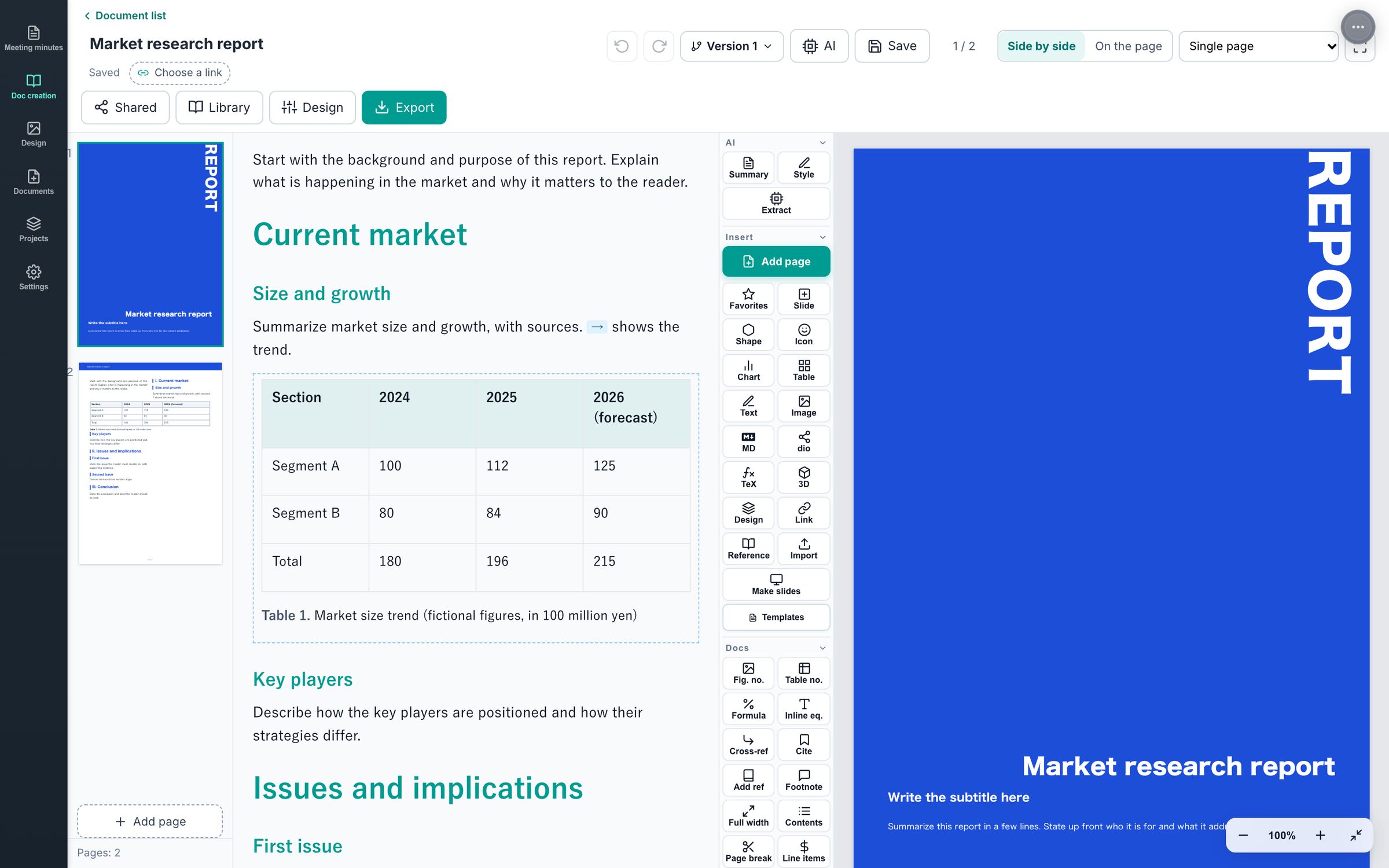
- Types
Papers, market reports, trip reports, travel guides, lab reports.
- Pages
Cover, paper size and margins, columns, heading styles, numbering, page numbers. Figures spanning columns.
- References
Figure and table numbers, cross-references, contents, footnotes, citations.
- Export
PDF, Word, Markdown. Papers also as LaTeX (IEEEtran, jlreq).
Design
Design — in the same place as your work documents
Social posts, banners, flyers and thumbnails from text, shapes and images.
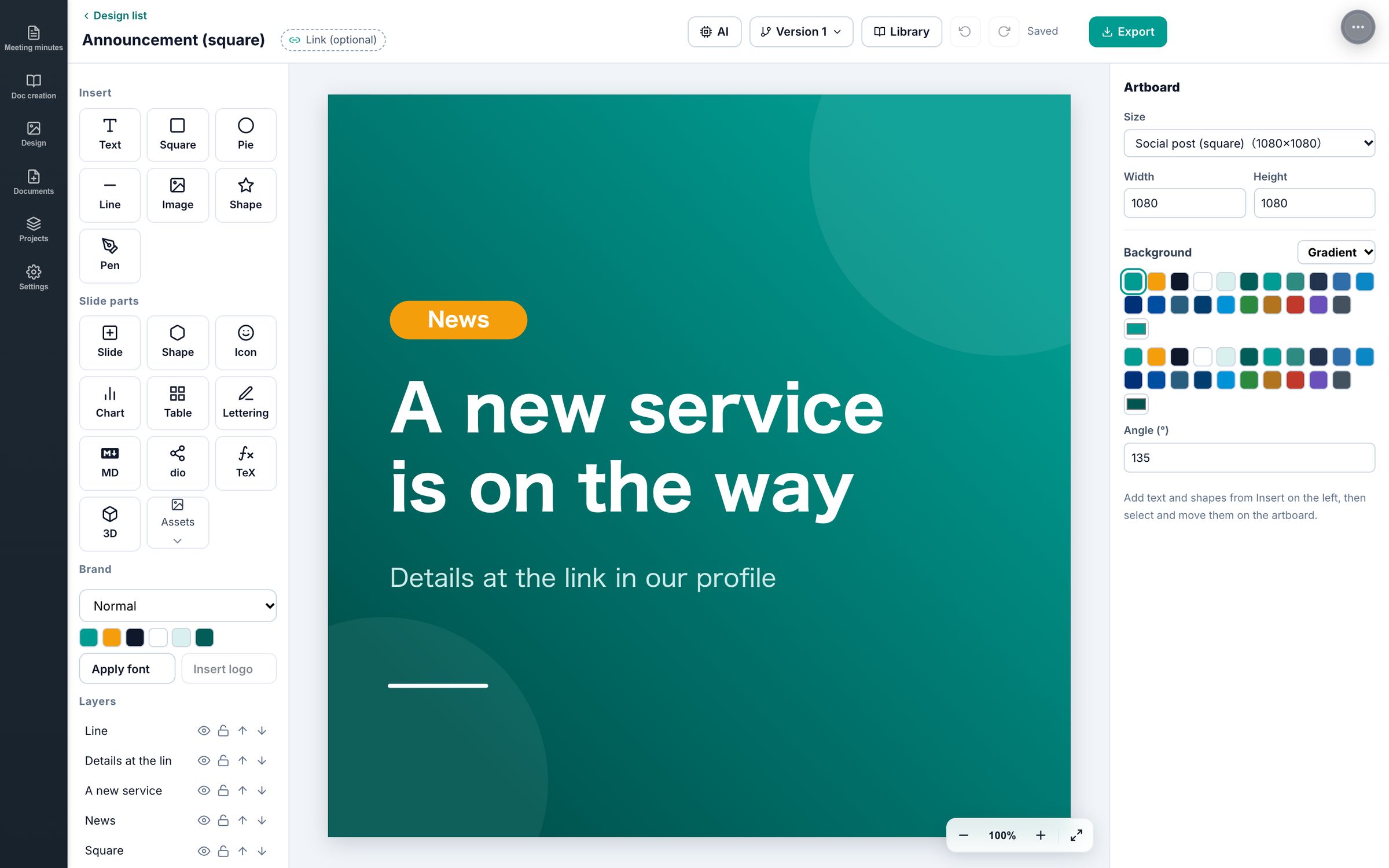
- Sizes
Start from social, web, document and print sizes.
- Editing
Layers, alignment guides, undo and redo, brand colors and fonts.
- Export
PNG, JPEG, SVG.
Your library
Library — everything you make lands here
Slides, documents, designs, notes and exams live in one library, linked to projects. Start from samples, build the next deck on the last one. All inside the app: no network, no account.
- Lists and filters
Filter by type, project, year and status. Search titles and body text.
- Start from samples
Sample decks, documents and exams in five languages are there from the first launch. Duplicate and rewrite.
- Version history
Decks are saved as versions. Compare and go back.
- Projects
Group decks and notes under a project and follow them in a list and detail view.
- Deck data
One deck is one JSON file (.deck.json). Export it and take it to another machine. AI reads and writes the same form.
- Deck templates
Register a skeleton deck as the starting point for new ones.
Data
Data and settings — all on your computer
No account. No server.
- One file
A single SQLite database. Export and import from Settings › Database.
- API keys
Keychain on macOS, Credential Manager on Windows.
- Languages
The app UI in Japanese, English and Chinese. Decks in five languages, independent of the UI.
- Free period
Notes, exams, projects, viewing and export are always free. Editing slides, documents and designs and the AI connection are free for 7 days, then by subscription.
- Updates
Through the store. Your data stays as it is.